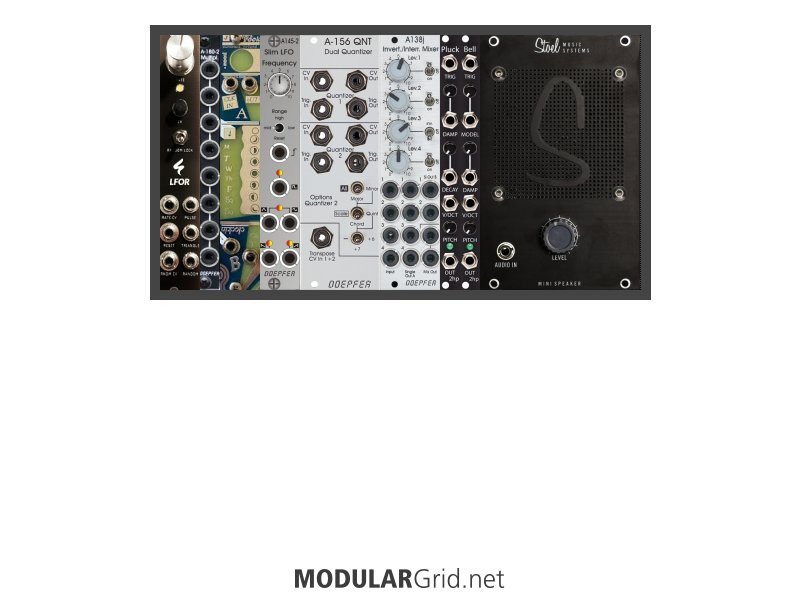
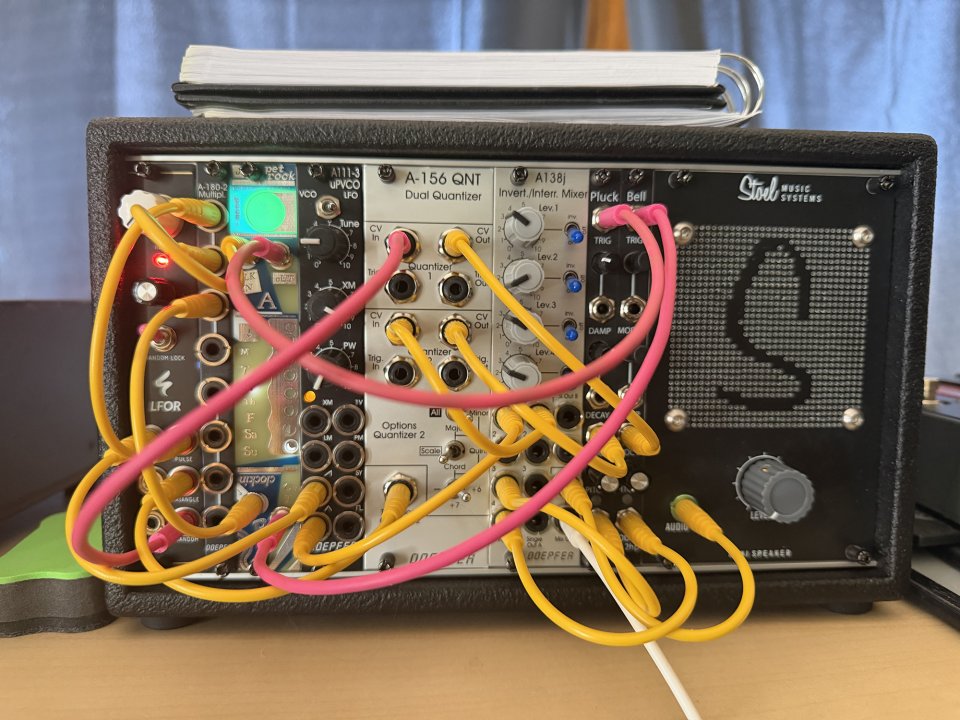
re: the row combobox, when I add a module (with the add icon in the search results), Ican't control where or which row it goes into. And because the mover isn't accessible (I can't just focus on the last module in the row), I can't easily just move everything far right so the next items would be added in the row below.
-- eroe
This might be a good time to revisit an idea I brought up a while ago.
...position of pasted module
currently the pasted module is pasted on the next free space on the very top left.
it would be very useful when you track a click event and place it exactly there after pasting.
this would be especially helpful when rearranging a large rack from scratch with 2 browser windows.
-- modular01
Since a single row can often have multiple separate empty spaces, maybe adding modules could be made much more accessible if there was a way to specify not just the target row, but the exact empty slot you want to place it in (as long as the slot is wide enough).
I don't have a concrete idea on how to implement this technically right now, but perhaps this is a useful angle to consider while working out a solution together.
This is all super amazing and helpful, thank you.
I can confirm that I can now see modules as alt text. This is helpful when I'm looking at other people's racks, too. Thank you!
Maybe I was looking at the dom weird, but I was suggesting that the container divs have the roles of table, row and cell. This would make it navigable by table. Right now, the current table is below all the graphics; presumably the graphic could be in each cell. This makes it like a grid.
re: the row combobox, when I add a module (with the add icon in the search results), Ican't control where or which row it goes into. And because the mover isn't accessible (I can't just focus on the last module in the row), I can't easily just move everything far right so the next items would be added in the row below.
Thanks again. This is amazing to see; I really appreciate all your work!
Hi all,
I am a totally blind user, relying on a screen reader.
I'm building my first eurorack setup and would really love to create a modulargrid version so that I can share it out with others.
This is sort of usable, but it's a bit tough. I'm curious if there's a chance that I could help work on this to make it accessible (I'm fluent with python/php/javascript) or if people here are open to suggestions.
Here are my ideas just starting:
add a role of h2 to all the module titles in search results; this will make it faster to view.
When adding modules, it would be really helpful if there was a "row" combobox that was bounded from 1 to max rows, so if I click add and I'm on row 2, I can add it to row 2 (right now, I can only make one horribly long row)
Can you add the module name to the alt text of a module? This would make it easy to view. Maybe even (hp) at the end so you know how many hp the module is?
The following won't change the appearance but will make this navigable by table:
The enclosing container is a div with id of restraint. Add role="table" to this.
The rows are a div with class grid-row. Add role="row" to this.
for cells, add role="cell".
A switch in the module build to make modules focusable. This would add tabindex="0" to the module images. Then you can focus on it and use the keyboard commands.
Some way to select a slot (if I have module A and B and move B to the right, I might want to add a blank panel here.
Where you have icons (like on the "add" links, for example, consider adding an aria-label like aria-label="add", which will announce the link as what it is. Right now they read as questionmarks.
I'll say from my experience with Pam's: It's obviously great for clocks, it's great for tempo-synced LFOs, and it's good for ostinado rhythms. The deeper you get into "Pam's as a sequencer" the worse the user experience gets, though. It's super powerful, but with only one button and one encoder, navigating the module is pretty uncomfortable in any kind of live scenario (whether that's performance or just jamming in your practice space). It works best as a "set and forget" module. You can set it to something very complex, but making changes to it is slooooooooow and hard to do in a way that matches the musical structure. Like, I can sweep a filter or a VCA gain knob slowly and end the sweep right on the downbeat, it's harder to pull similar tricks with Pam's.
All that said: Pam's is a great module, I sure as hell am not getting rid of mine. Just warning you about some of the areas where it falls short for me. I have mine set up with 4 clocks and 4 LFOs that I rarely change, and never change mid-performance, and it's great for that role.
At the moment, there is no intention to expand...
Buying a modular synth is like buying a boat. It's a never-ending hole in the bottom of your wallet. Good luck not expanding XD
Thank you for taking the time to reply. There are definitely some things to consider.
To address the 3x MIA and the Pam's: As far as modulation sources go, part of my decision in including Pam's were the LFO outputs. I know that the module has much more capabilities than just an 8x clock output. I think as far as getting the most value of the module as I can is by using the Pam's in conjunction with the 3x MIA with the range of features. Envelopes, even.
Not only that, but I think the sheer range of features (noneuclidian rhythm stands out to me) will help me to narrow down my musical vision for the future.
Your comment on a matrix mixer makes sense. At this point in my build, I am approaching my budget, and I am fairly happy with my modules otherwise, but I appreciate the advice and I will think on options.
At the moment, there is no intention to expand, but as far as costs go and managing the 'invisible spaghetti' I think a powered case might be a smart option.
Lots to think about...
(Also, got lucky with filling out the first row exactly to 104hp.)
Thank you!
You know what kind of feature I would absolutely love?
As a companion for the pedalboard page, you should be able to create any kind of amplifier setups. And you could connect cables to show what amps you like to use in tandem.
Would that make for a good feature?
A DEMO / WALKTHROUGH VIDEO is now available at the following link:
What I’ve done in this version
• Aligned the Variation semantics, which now behave as a per-step keep/replace control against the original material in both Generators
• Reworked Generators footer/context layouts for a more uniform workflow across all Generators
• In Chaos, clamped Note and Note Range generation to a -24..+24 semitone window
• Made all Generators enter on the original version: the first generated Sequence now requires an explicit reroll action
• In 16-step Editing Mode, updated playhead feedback with dedicated state
• Fixed Voltage Mode behavior on Arp and Stochastic tracks (to be tested)
Also, in earlier versions
• Full evolution of the Generators ecosystem
(Random, Euclidean, Acid, Chaos: Vandalize / Wreck / Entropy)
→ now more coherent, with unified preview/apply safety and a shared playable workflow across the machine and Launchpad
• Added an experimental 16-step Edit Mode on Note Tracks (tested on LCXL, to be tested on BSP)
→ step editing via external controllers with 16 knobs + 16 pads
→ knobs = Note for the visible 16 steps
→ pads = Gate on/off
→ navigation across longer sequences in 16-step sections
• Improved Launchpad integration, with Generators Mode, Inits, and Undo/Redo
• Unified preview/apply workflow with safer destructive operations (1-level Undo/Redo)
• Unified Init behavior (Layer / Steps / Seq), selection-aware with consistent fallback logic
• Refinements in step selection (shift behavior, selection-or-all logic)
• Improvements in timing, clock/reset handling, and edge-safe sync
• Curve track extended with Gate Offset and Gate Length
• Improved handling of scales and operational limits
• Reduced memory footprint and improved runtime efficiency
• Simulators aligned with actual firmware behavior
• Expanded documentation, with a new manual featuring improved search + full Launchpad cheatsheet
• Overall ecosystem cleanup (site, docs, simulator, references)
And many other small improvements that add up, including a near-complete refactor of the Launchpad code
The goal is to make the PER|FORMER more playable in a live context, while keeping it open to less predictable workflows.
A solid machine for performance, but also a crazy one for experimentation.
I’m kinda losing my mind over this fork.
If you find it useful, consider donating https://vinxscorza.github.io/performer/donate/
If you notice any bugs or weird behavior, feel free to report it via GitHub, email, here, or wherever you like.
This fork has been moving fast — and since it’s just me, feedback really helps.
A DEMO / WALKTHROUGH VIDEO is now available at the following link:
What I’ve done in this version
• Aligned the Variation semantics, which now behave as a per-step keep/replace control against the original material in both Generators
• Reworked Generators footer/context layouts for a more uniform workflow across all Generators
• In Chaos, clamped Note and Note Range generation to a -24..+24 semitone window
• Made all Generators enter on the original version: the first generated Sequence now requires an explicit reroll action
• In 16-step Editing Mode, updated playhead feedback with dedicated state
• Fixed Voltage Mode behavior on Arp and Stochastic tracks (to be tested)
Also, in earlier versions
• Full evolution of the Generators ecosystem
(Random, Euclidean, Acid, Chaos: Vandalize / Wreck / Entropy)
→ now more coherent, with unified preview/apply safety and a shared playable workflow across the machine and Launchpad
• Added an experimental 16-step Edit Mode on Note Tracks (tested on LCXL, to be tested on BSP)
→ step editing via external controllers with 16 knobs + 16 pads
→ knobs = Note for the visible 16 steps
→ pads = Gate on/off
→ navigation across longer sequences in 16-step sections
• Improved Launchpad integration, with Generators Mode, Inits, and Undo/Redo
• Unified preview/apply workflow with safer destructive operations (1-level Undo/Redo)
• Unified Init behavior (Layer / Steps / Seq), selection-aware with consistent fallback logic
• Refinements in step selection (shift behavior, selection-or-all logic)
• Improvements in timing, clock/reset handling, and edge-safe sync
• Curve track extended with Gate Offset and Gate Length
• Improved handling of scales and operational limits
• Reduced memory footprint and improved runtime efficiency
• Simulators aligned with actual firmware behavior
• Expanded documentation, with a new manual featuring improved search + full Launchpad cheatsheet
• Overall ecosystem cleanup (site, docs, simulator, references)
And many other small improvements that add up, including a near-complete refactor of the Launchpad code
The goal is to make the PER|FORMER more playable in a live context, while keeping it open to less predictable workflows.
A solid machine for performance, but also a crazy one for experimentation.
I’m kinda losing my mind over this fork.
If you find it useful, consider donating https://vinxscorza.github.io/performer/donate/
If you notice any bugs or weird behavior, feel free to report it via GitHub, email, here, or wherever you like.
This fork has been moving fast — and since it’s just me, feedback really helps.
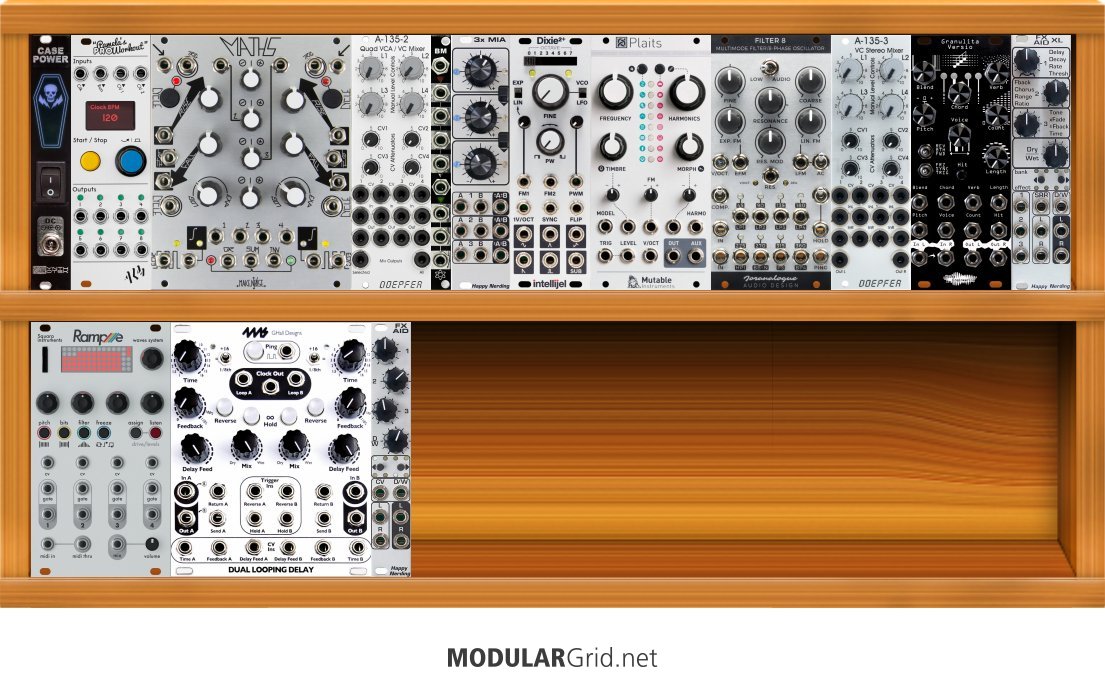
You've got the basics: VCO, VCF, VCA, Envelope Gen, Mixer, a couple mod sources, and a couple FX.
Some thoughts:
That Doepfer Quad VCO is nice and compact, but lacks a lot of control. Notably: It shares the same gain (manual and CV) across all 4 channels. There are situations where this can be useful, but as a first VCA I'd strongly recommend one where all 4 channels are totally independent. MI Veils (or a clone thereof) and Intellijel Quad VCA are great.
You set this up as a 6U case with only 3U full. Is your intent to add mroe modules as you learn more? If so, you may want to invest in a backplane power supply rather than a power module. That one will be fine for the setup you have right now, but if you add many more modules with high power draw, you could exceed its abilities. Plus, flying bus power turns into spaghetti (albeit, hidden spaghetti) fast. I like the Intellijel TPS (Triple Power Supply) boards, they use the 80W version for their 7U 104HP performance cases.
You have one main voice (Plaits) with two main FX modules (FX Aid and Granulita Versio). This is a great use case for a Matrix mixer. Horizontal rows: Voice, FX1, FX2. Vertical columns: FX1 Send, FX2 Send, Mixer Send. This gives you a lot of control over the wet/dry mix, and also gives you the ability to "cross pollinate" the FX. Matrix mixers can be a little arcane, but they're a great tool for the kind of patching that modular synths do better than standalone synths. It may be a little beyond the scope of "My first rack" but I'd at least consider it as an early add-on.
3x MIA is a very cool module. I wonder what your goal for it is? I normally think of it as "a way to combine modulation sources" but you don't have a ton of sources to combine here (Maths and Dixie in LFO mode). There are also ways to patch Maths to do the same job (albeit, Maths only has the equivalent of 1 channel of 3x MIA). Unless you have a specific idea for this module, it may be a good "eventual add-on" with Maths serving the purpose in the meantime.
What is Pam's doing? Again: Great module, but what's the point? If you have a Keystep Pro controlling this setup, I'm not sure what Pam's is adding.
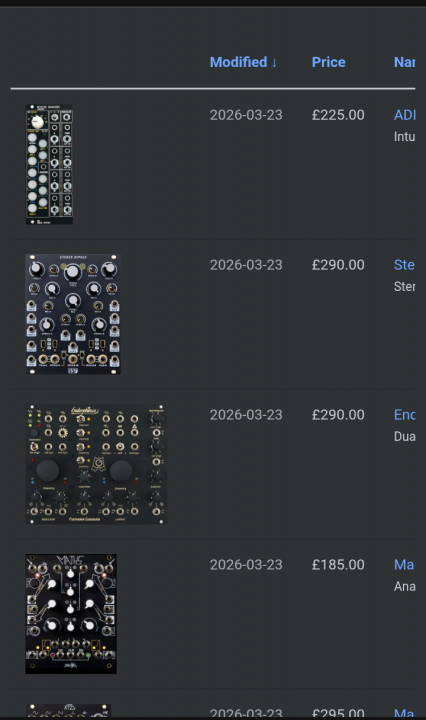
The new design makes the marketplace pages rather more difficult to view -- the actual module name is cut off on the right hand side.
(you can scroll side ways of course, but it's not all visible on the page as it was before.)
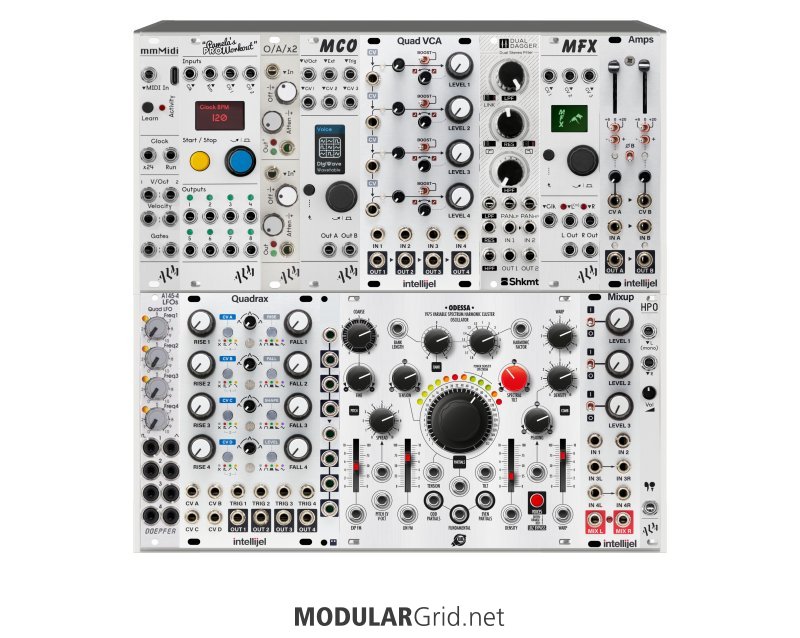
This also includes an external KO II and a Keystep Pro.
Finally starting my Eurorack. There were a few things I wanted to keep in mind while making this.
Relatively budget, maximum I wanted to spend was $3500, which includes the cost of the case, Keystep Pro, etc.
A lot of exploration, texture, and rich 'sound'.
I wanted a playground to figure out what sound I like and dislike.
With the KO II, I plan to use for external drums and the occasional sample, and my goal is to trend towards downtempo ambient with deep harmony and musical color.
I would like to hear y'alls thoughts, opinions, what I am lacking, if you think anything will be especially interesting, or if you have any experiences that you think I could benefit from hearing. I am a complete novice, so any and all help is appreciated.
Yeah I appreciate that, thanks. At the same time, I'm hoping to get some insight into mixer choices and the number of voices, as well as the question of whether to include some FX or sequencing here.
I did some changes today however I am not sure if I did it right
add a role of h2 to all the module titles in search results; this will make it faster to view.
module title h3 tags are now h2 tags
When adding modules, it would be really helpful if there was a "row" combobox that was bounded from 1 to max rows, so if I click add and I'm on row 2, I can add it to row 2 (right now, I can only make one horribly long row)
I don't quite understand this request
Can you add the module name to the alt text of a module? This would make it easy to view. Maybe even (hp) at the end so you know how many hp the module is?
modules in the planner now have module name and width in the alt
The following won't change the appearance but will make this navigable by table:
The enclosing container is a div with id of restraint. Add role="table" to this.
The rows are a div with class grid-row. Add role="row" to this.
for cells, add role="cell".
I did all this but I am not sure if that is right and working. The #restrain is just the grid for the modules where they "snap in", the modules self are in div#modules which are positioned absolute on top.
A switch in the module build to make modules focusable. This would add tabindex="0" to the module images. Then you can focus on it and use the keyboard commands.
Some way to select a slot (if I have module A and B and move B to the right, I might want to add a blank panel here.
I have to look deeper in this.
Where you have icons (like on the "add" links, for example, consider adding an aria-label like aria-label="add", which will announce the link as what it is. Right now they read as questionmarks.
I changed that on the module browser.
These would make this much more usable.
Thanks,
-- eroe
Check back what is improved and what is not, best, Knut
taking a look at this rack as it appears with all modules, the power consumption and all power data is available however, I’m still confused. Kind of that be able to apply that to a affordable power supply possibility for remote patching and was just inquiring to see if maybe others could suggest exactly how I would come to that conclusion as to what would be the best output that I would need to purchase.. I mean sure I would definitely appreciate product sugestions based on the data given but i really want to be sure to undsrstand how to in the future..
Enjoy your spare HP, don't rush to fill every last space, this is not like filling sticker books. Resist the urge to 'complete' your rack, its never complete so just relax.
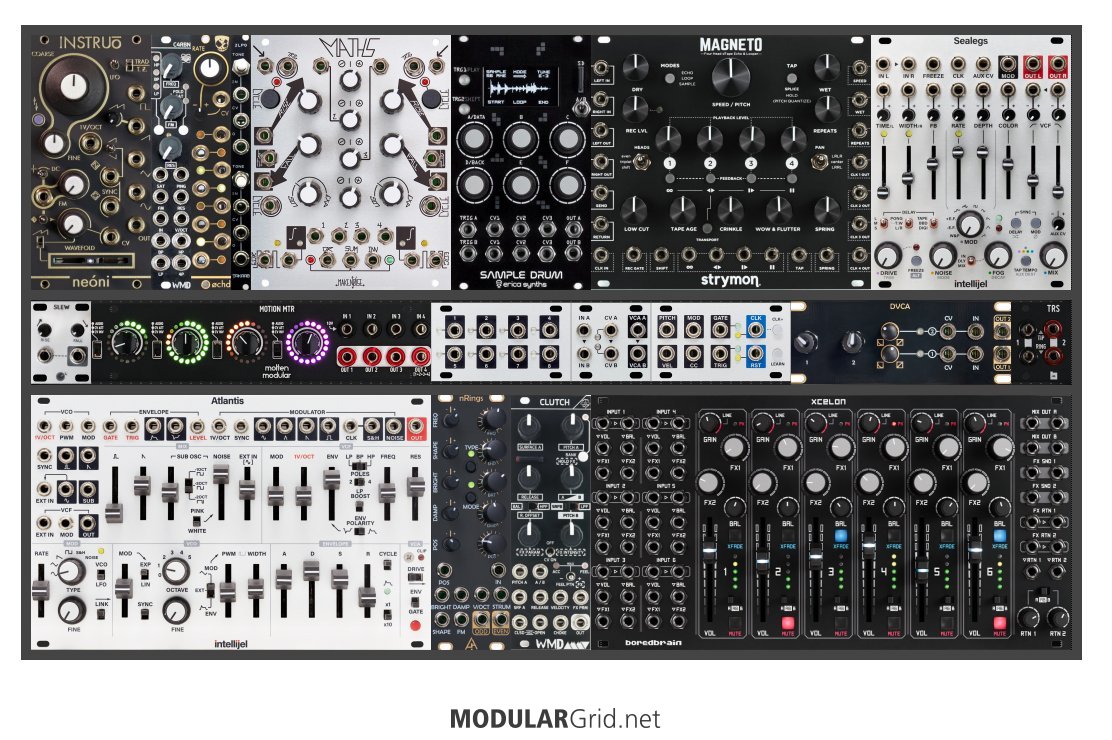
I’m making techno using Elektron hardware (deep/minimal/hypnotic) in a Hypnus records direction (warpy synths, lots of organic percussion and ‘tribal’ hand drums sounds, only a few harmonic elements, kick, HH, sub-bass). I’m now gradually adding more modular into my workflow and after playing with 62hp for a while am now step-by-step adding modules to 7u 104hp.
My plan is to use my Elektron Octatrack as final mixer / performance looper + my Elektron Tonwerk as FX processor/additional textures/some percussion.
Other Pads / noises / textures / weird sounds (Tonwerk + Tonwerk sampling the modular)
I reckon most FX and Midi to CV sequencing can be done by the Elektron boxes, so haven’t included sequencing or FX in the modular.
In terms of routing, I am wondering whether to add a performance mixer with 2 x Sends (e.g.Boredbrain Xcelon). Not sure if Xcelon would be overkill for this setup but would be nice to have the two stereo outputs. For example, one stereo out going to the Octatrack (bass/kick/synth) and the other going to the Tonwerk (for drum bus). The OT has 4 inputs and TW has 2 inputs.
My aim is to develop this into a performance setup, with elements of live modular improvising, but pre-recording some elements into the Octatrack i.e. leaning heavily on Octatrack looping and sampling to pre-record elements.
I'm trying to work out of this all fits together and how to use the remaining space. The case is Befaco 104hp 7U. I'd really appreciate any thoughts:
Anything look a bit off about the setup?
Ideas for filling the remaining HP?
Should I invest in a good performance mixer like Boredbrain Xcelon , WMD Performance /Channels, Nano Performance, ALA Bartender , Cosmic Pro, Erica synths drum mixer (this mixer could replace my existing Instruo Carn, or maybe go alongside it with one of them could handle Drum submix)
Hi all,
I am a totally blind user, relying on a screen reader.
I'm building my first eurorack setup and would really love to create a modulargrid version so that I can share it out with others.
This is sort of usable, but it's a bit tough. I'm curious if there's a chance that I could help work on this to make it accessible (I'm fluent with python/php/javascript) or if people here are open to suggestions.
Here are my ideas just starting:
add a role of h2 to all the module titles in search results; this will make it faster to view.
When adding modules, it would be really helpful if there was a "row" combobox that was bounded from 1 to max rows, so if I click add and I'm on row 2, I can add it to row 2 (right now, I can only make one horribly long row)
Can you add the module name to the alt text of a module? This would make it easy to view. Maybe even (hp) at the end so you know how many hp the module is?
The following won't change the appearance but will make this navigable by table:
The enclosing container is a div with id of restraint. Add role="table" to this.
The rows are a div with class grid-row. Add role="row" to this.
for cells, add role="cell".
A switch in the module build to make modules focusable. This would add tabindex="0" to the module images. Then you can focus on it and use the keyboard commands.
Some way to select a slot (if I have module A and B and move B to the right, I might want to add a blank panel here.
Where you have icons (like on the "add" links, for example, consider adding an aria-label like aria-label="add", which will announce the link as what it is. Right now they read as questionmarks.
hello, about that redesign, i am unable to reach the delete hover "btn-group-vertical module-edit-btns" on 1u rows, unless its the left-most module. i worked around via hotkeys but this is new since revamp. cheers
-- poepoe90
I have uploaded a change that willl hopefully fix the issue. Thanks for reporting!
Hello,
If one device is going much faster than the other, it could be an issue of their PPQ (pulses per quarter note) settings being different. It sounds like maybe the Beatstep has a higher PPQ than the Pam's, so the Beatstep it outputting the clocking pulses faster than the Pam's is expecting them at any given BPM. For example, if the Beatstep is outputting 24 PPQ and the Pam's is expecting 6 PPQ, the Pam's would have a BPM 4X faster than the Beastep. I hope that is helpful!
Edit: I should add that the PPQ settings should be adjustable within each device. They're generally not permanently fixed parameters on modern devices. So you would just have to adjust the settings so that the PPQ matches between the two devices.
Guess I switched timelines or something because when I opened up the site I was actually still logged in! I jest. Thank you for your hard work, it looks great!
Thank you! It looks much better and seems to not move modules around (or out of the case) randomly. However, the "keep me logged in" feature doesn't work on my computer. It worked just fine in the older version.
Electronic musician, improviser, composer, sound designer in Berlin
I play the INA/GRM Atelier, a Strega, a 0-CTRL, a small case of mainly Make Noise modules, a Chromaplane, a Lyra-8, a Hydrasynth and Ableton Live in solo concerts and in bands.
hello, about that redesign, i am unable to reach the delete hover "btn-group-vertical module-edit-btns" on 1u rows, unless its the left-most module. i worked around via hotkeys but this is new since revamp. cheers
The precision adder lets you switch multiple oscillators/modules up or down octaves without spreading oscillators out of tune with each other.
Flipping a switch to raise or drop an octave is a convenience compared to re-tuning with a knob, and more accurate than most active multiples.
You can also use it to transpose a sequence to another key with a second sequenced cv.
The first channel lets you ease in with an attenuator, so you can add a bit of wobble or other modulation fun to multiple voices.
Or you can use it to goose several modules a little bit into tune, all at the same time.
I guess it's value depends a bit on if you are going after playing notes 'in tune' with something else or itself.
I don't mean that negatively.
I know a lot of synth musicians don't want anything to do with that, and that's ok.
We forget after doing so much in digital, that analog is so squishy in its tuning.
The A-185's "precision" keeps combining or switching 1v/octave cv-s dead on. Really handy all the time.
i recently got an arturia beatstep pro. but when I’ve tried to synch up the clock of pams with the beatstep's clock, it always goes way too fast, and doesnt even synch up with the bpm! does anyone have any advice?
what´s so special about it?
Does the slope-control affect much?
Im also searching for a new filter and am considering Faun.
I have a BASTL Ikarie at the moment.
How is it compared to that (unless the stereo) ?
Im interested in filters with special character, timbre and also for experimental uses.
Nekyia Root Locus seems also interesting to me.
/ I´m very busy a the momet - sry for late replies
I don't like it make it go away!!! Hahaha, actually looking good to me, smart.
Enjoy your spare HP, don't rush to fill every last space, this is not like filling sticker books. Resist the urge to 'complete' your rack, its never complete so just relax.
We were dealing with 13-year-old JavaScript libraries - everything was creaking. Website relaunches often go wrong, but this one was necessary. With the old codebase, ModularGrid had become extremely difficult to maintain, making bug fixes and further development hard and, in some cases, impossible.
We’ve modernized the code and made some visual adjustments along the way. It’s no secret that ModularGrid is built on the Bootstrap framework, and we’ve continued to use it with the help of a designer who wishes to be called "the Ghost".
We fixed many bugs, but we’ve no doubt introduced some new ones. The good news is that they should now be much easier to fix.
There are also a few new features:
• the search now includes an exclude filter
• pedalboards can be converted from inches to centimeters
We tried to change everything without changing anything.
Last item I sold on there for $500, my payout was $432. And it is impossible to speak to a human for support. There's a scammer that has a spoof website, but their AI doesn't understand what I'm trying to report.


 ![]
![]