- Dimensions
- 1 U
- Current Draw
- 17 mA 5V
- Price
- $94
This Module is currently available.
 Specs are approved by the manufacturer
MG ID: 57302
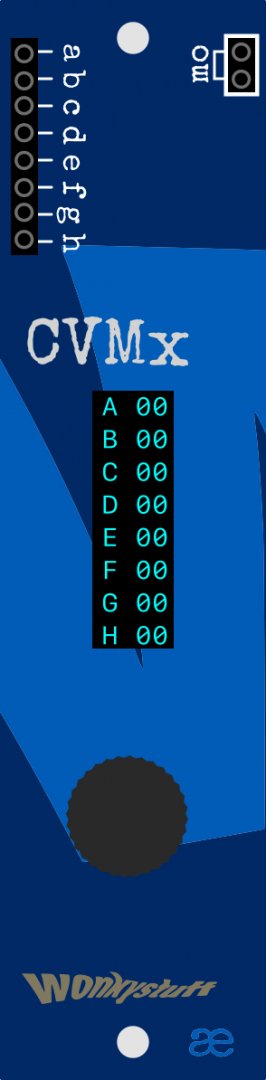
8-input CV/Trigger to MIDI converter
CVMx is a utility module allowing MIDI messages to be sent in response to incoming CV and/or gate/trigger signals. It's a really flexible module, and opens up possibilities like:
- Triggering notes from an external MIDI synthesiser;
- Triggering sounds from an external Drum machine;
- Changing parameters of a synthesiser using MIDI Continuous Controller (CC) messages;
- Controlling visuals or lighting using MIDI CC messages.
Controls
Controlling CVMx uses a single rotary encoder with a push-button to navigate the UI.
In the overview screen, rotating the encoder scrolls a cursor up and down the display, highlighting each of the lanes in turn.
Edit Mode
short press of the encoder will change to edit mode for the currently-selected lane. This allows the user to be able to configure the behaviour of that lane (see Operation below for the list of possible actions).
edit mode is left by scrolling to the EXIT field at the bottom of the display and making a short click.
Settings Mode
Starting from the overview screen, a long press of the encoder will change to the settings mode where the current configuration can be saved, or a previously-saved configuration can be loaded (selection of the active memory is independent of the save/load button).
settings mode is left by scrolling to the EXIT field at the bottom of the display and making a short click.
Connectivity
Inputs
- a - h CV inputs which are to be converted to MIDI messages;
Outputs
- mo midi output - a stream of whichever messages have been configured.
Operation
CVMx has 8 inputs (labelled a thru h) each of which we call a lane. The configuration of each lane contains the following parameters:
- MIDI Channel: each lane in CVMx can transmit on a different MIDI channel; great flexibilty!
- Lane Type: Each lane can be set as either:
- MIDI Note (note-on sent on the rising edge of a trigger; note-off sent on the falling edge). The note parameters (pitch and velocity) can be configured as:
- A fixed value
- A random value within a range
- A value derived from the voltage on another lane input, scaled between a minimum and maximum value.
- MIDI CC. A configurable MIDI-CC, with a value configured as:
- A random value within a range
- A value derived from the voltage on another lane input, scaled between a minimum and maximum value.
- Toggled MIDI Note. As for the MIDI Note above, except that note-on and off messages are sent on alternate rising trigger edges, useful for sustained notes
- Toggled CC. Each rising edge on the input toggles between two values — e.g. the Sustain-pedal on a keyboard.
- Value: Generates no MIDI value, but is used as the parameter for note pitch or velocity values.
- MIDI Note (note-on sent on the rising edge of a trigger; note-off sent on the falling edge). The note parameters (pitch and velocity) can be configured as:
- Minimum & maximum values (primary) — e.g. for CC and note-pitch values;
- Minimum & maximum values (secondary) — e.g. for note-velocity values;
CVMx is highly configurable, and has 32 configuration memories, which can be saved and recalled at will. In addition, lane configurations can be dumped and received using System Exclusive messages. A WebMIDI-based editor is also in development which will be able to remotely configure lanes.
System-Exclusive operation
In settings mode it is also possible to save the memory to an external device via System Exclusive (SysEx) messages. Choose DUMP to begin transmission.
Reception of a SysEx dump (from another CVMx, or from a previously-dumped file) is started by selecting RECV and connecting a MIDI stream (via mi/mo or the MIDI thru socket of the mb/1 for example) to input h. When reception has successfully completed, CVMx will return to the overview screen.
SysEx format
The SysEx data is formatted like this:
0xF0 0x00 0x22 0x13 0x00 0x02 0xF7
This breaks down as follows:
SysEx start: 0xF0
Tangible Waves preamble: 0x00 0x22 0x13
Wonkystuff sub-id: 0x00
CVMx product ID: 0x02
data: lane configuration bytes are split into 4-bit nibbles (Further details TBA)
SysEx end: 0xF7
Marketplace sell and buy used modules
Right Now on eBay